
In our last blog post we walked you through how to submit a Power of Attorney online. If you missed it, you can catch up here: Submitting Power of Attorneys and Tax Information Online
But, what if you’re no longer satisfied with your current representative? Or, perhaps the engagement with your CPA or other professional is finished; or maybe you just want to revoke a current Power of Attorney/Withdrawal of representative. Here’s what you need to know on revoking a current Power of Attorney:
Revocation of a Power of Attorney
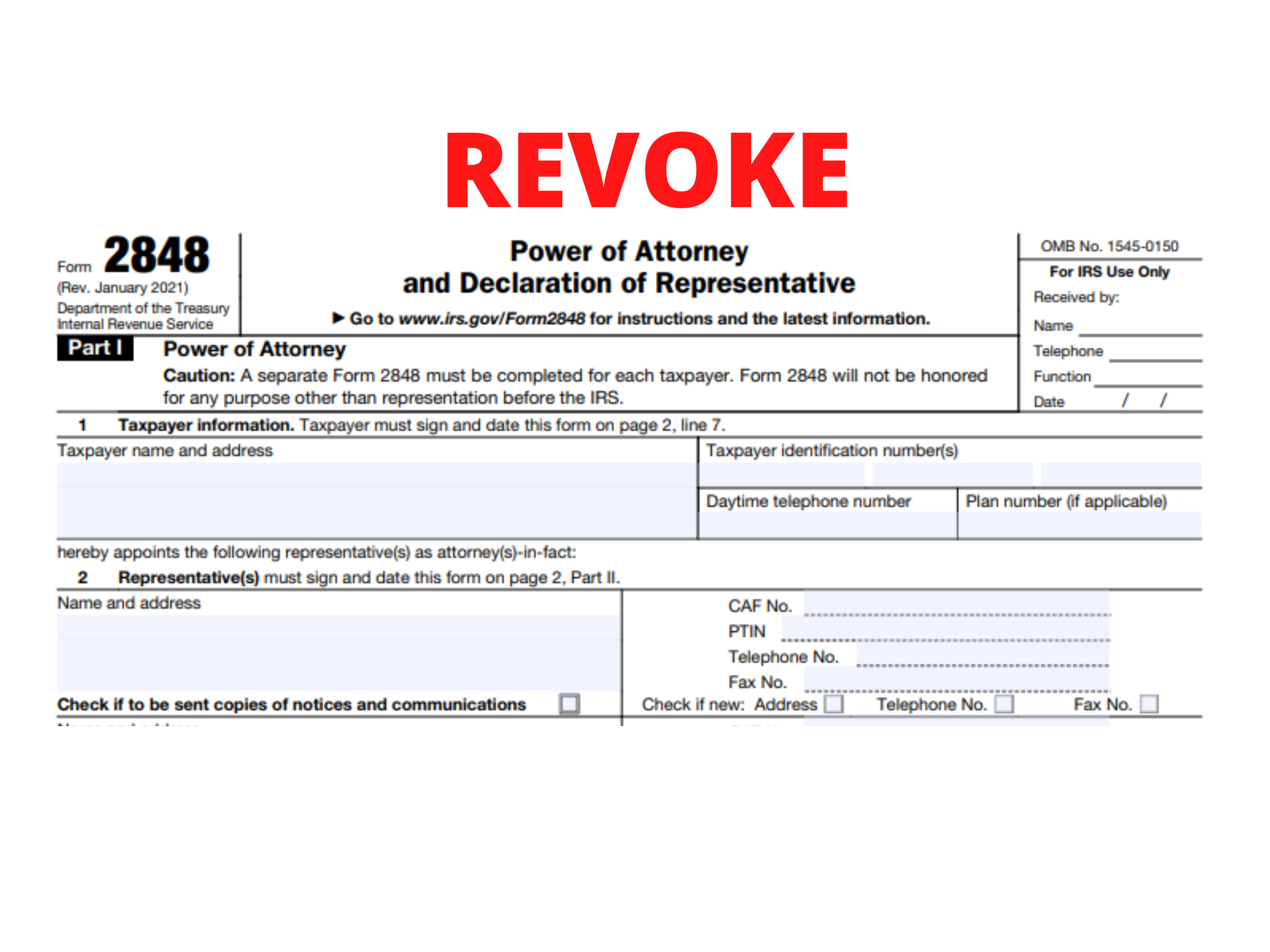
If you want to revoke a previously executed Power of Attorney and do not want to name a new representative, you must write “REVOKE” across the top of the first page, and include a current signature and date below the annotation. Then you will need to mail or fax a copy of the Power of Attorney, with the revocation annotation, to the IRS using the Where To File Chart. Or, if the Power of Attorney is for a specific matter, mail it to the IRS office that’s in charge of handling the matter.
If you do not have a copy of the Power of Attorney that you want to revoke, you must send the IRS a Statement of Revocation that indicates that the authority of the Power of Attorney is revoked, and that lists the matters and years/periods, as well as the name and address of each recognized representative whose authority is revoked. You must sign and date this statement. If you are completely revoking authority, write “revoke all years/periods” instead of listing the specific matters and years/periods.
Withdrawal by Representative
If your representative wants to withdraw from representation, he or she must write “WITHDRAW” across the top of the first page of the Power of Attorney with a current signature and date below the annotation. Then, he or she must provide a copy of the Power of Attorney, with the withdrawal annotation, to the IRS in the same manner described in Revocation of a power of attorney, earlier.
If your representative does not have a copy of the Power of Attorney that he or she wants to withdraw, he or she must send the IRS a Statement of Withdrawal that indicates that the authority of the Power of Attorney is withdrawn, and lists the matters and years/periods, as well as the name, taxpayer identification number, and address (if known) of the taxpayer. The representative must sign and date the statement.
Freedom of Information Act Request
The FOIA request must be in writing and sent to GLDS Support Services. Letters requesting records under the FOIA can be short and simple. See How to write your Freedom of Information Act request: Freedom of Information Act (FOIA) Guidelines. A requester who follows the IRS’s specific procedures may receive a faster response.
There are four basic elements to an FOIA request letter:
- The letter should state that the request is being made under the Freedom of Information Act.
- The letter should identify the records that are being sought as specifically as possible.
- The name and address of the requester must be included. If the request involves the tax records of an individual or business, the requester must also include a copy of the requester’s driver’s license or a sworn or notarized statement swearing to or affirming their identity. In this case, the authority of the requester to receive such records must be established. If the request is for the Centralized Authorization File (CAF), you must attach a valid photo identification which includes your signature as proof of identity. If the request is for agency records only the name and address of the requester is required.
- The requester should make a firm commitment to pay any fees which may apply (the complete regulatory requirements for FOIA requests filed with the IRS are available at 67 Federal Register 69673, Treasury Regulation 601.702).
Section (a)(4) of the FOIA requires the IRS to establish fees associated with searching for, reviewing, and copying records, which may vary depending on the status of the requester or the purpose of the request. As a result, a requester may have to provide information on their status and their purpose for making the request to allow the IRS to determine the appropriate fees. Different fees apply to: commercial requesters; representatives of the news media; educational or noncommercial scientific institutions; and individuals.