
New Schedule E Excel Worksheet For 2025

by | Dec 23, 2025 | Accounting, Tax

If you report rental income on a form Schedule E, you already know the IRS wants your numbers broken out by category and by property. The Schedule E form is the main IRS form used to report rental real estate income and expenses on your personal return, and clean detail makes preparation easier and cuts down on follow-ups.

To make this more simple for you (and cleaner for us), we have created a simple Excel worksheet you can download, fill out, and upload through your Senter CPA portal as part of your organizer.

How the worksheet helps:

  • Gives you one place to report all Schedule E rental income and expense information
  • Matches the main categories on Schedule E so we can easily reconcile the information when preparing your return
  • Cuts down on back-and-forth emails regarding missing items

What you will enter:

  • Rents received by property address/location
  • Common expense categories (for example: advertising, cleaning and maintenance, commissions, insurance, legal and professional fees, management fees, mortgage interest, repairs, supplies, taxes, utilities, depreciation, and others)
  • Notes for big items like new appliances, remodels, or improvements (often handled differently than repairs)

How to use it:

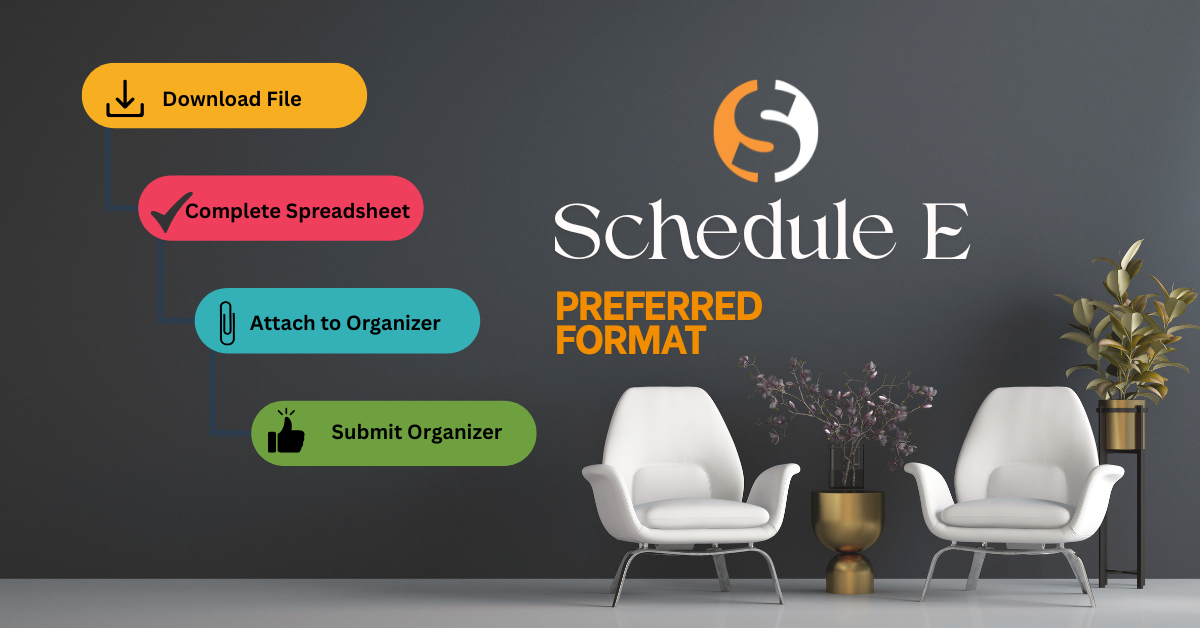
  1. Download the Schedule E Rental Excel worksheet from this post.
  2. Fill it out as completely as you can based on your records.
  3. Log in to your Senter CPA portal.
  4. Upload the finished file under your 1040 organizer in the document upload area for rental income.

Please do not email it. Uploading through the portal keeps everything together with the rest of your tax documents.

What if I already use property management software or my own spreadsheet?

If you already track rentals in:

  • Property management software, QuickBooks, Xero, Wave, or another system, or
  • Your own spreadsheet that clearly shows income and expenses by category and by property address/location

You can upload those reports instead of using our worksheet. For example, a year-to-date Profit & Loss, access to your QuickBooks file plus any supporting detail is fine.

Senter, CPA Accounting Client?

If Senter, CPA already handles your rental bookkeeping or monthly reporting, you do NOT need to complete this Excel sheet. We will use the records we maintain for you.

Want to see the actual Schedule E form?

If you are curious how these ties to the tax form, you can look at:

  • The DRAFT 2025 Schedule E (Form 1040) the IRS has posted HERE –  This is for reference only and may change before filing season.
  • The IRS page for Schedule E (Form 1040) can be found HERE – This page will always include links to the current form and instructions.

Download Below:

Always remember, Senter, CPA is here for you if you need any assistance.

Don't hesitate to give us a call at 248-934-0550, or contact us below.

Never Miss a Quarterly Estimated Tax Payment Again: TaxDome Keeps You on Track

For self-employed individuals, freelancers, business owners, and investors, quarterly estimated tax payments are an important part of staying compliant with IRS requirements. Missing a payment can result in penalties, interest charges, and unnecessary stress. Fortunately, TaxDome makes it easier than ever to stay organized with automated reminders and client communication tools.

Summer Reminder: Don’t Forget Your Estimated Taxes!

We know—writing a check to the IRS and State is probably not on your summer bucket list.

IRS Updates to 1099-K Reporting: What Freelancers Should Expect in 2026

If you’re a freelancer, gig worker, or small business owner who gets paid through platforms like PayPal, Venmo, Etsy, or Uber, there are important tax changes you need to be aware of.

Taxes and Summer? Who Would Have Thought?

When you think “summer,” taxes probably don’t make the list – and honestly, we get it. You should be thinking about vacations, BBQs, and soaking up the sunshine.

Why You Should Get an IRS IP Pin

Protect Yourself from Tax Identity Theft

At Senter CPA, we’re serious about protecting your personal and financial information. One simple but powerful way you can protect your tax identity is by getting an IRS Identity Protection PIN (IP PIN).

Here’s what it is, why it matters, and how to get one.

Confessions of a Bookkeeper

Let’s clear something up right away: bookkeeping is not just typing numbers into a spreadsheet while drinking coffee and judging people’s expense decisions.

Well, it’s partly that. But there’s so much more to it.

Received an Odd Michigan Treasury Notice? You’re Not Alone

If you recently received a strange notice from the Michigan Department of Treasury, take a breath. You are not the only one.

2026 Tax Season in the Books: Thank You

Thank you for trusting us. Thank you for supporting our team. Thank you for your patience, your feedback, your referrals, and your grace during one of the busiest times of the year.

So You Filed Your Taxes… Now What?

You did it. You gathered the documents, answered the questions, signed where needed, and got your tax return filed. If we helped prepare it for you, we can confidently say you handled your part like a pro. Now comes the part nobody loves but everyone participates in anyway: waiting for your refund.

Missed Tax Deadline?

If April 15 came and went and you didn’t file your tax return, or submit an extension, you’re definitely not the only one. It happens every year for all kinds of reasons. The important thing now is what you do next.