

For self-employed individuals, freelancers, business owners, and investors, quarterly estimated tax payments are an important part of staying compliant with IRS requirements. Missing a payment can result in penalties, interest charges, and unnecessary stress. Fortunately, TaxDome makes it easier than ever to stay organized with automated reminders and client communication tools.
What Are Quarterly Estimated Tax Payments?
The IRS requires taxpayers who expect to owe at least $1,000 in taxes after withholding and credits to make estimated tax payments throughout the year. These payments are typically due on:
- April 15
- June 15
- September 15
- January 15 (of the following year)
These deadlines apply to many self-employed individuals, independent contractors, business owners, and others who receive income that is not subject to tax withholding.
The Challenge: Remembering Every Deadline
Life and business can get busy. Between managing clients, running operations, and handling day-to-day responsibilities, quarterly tax deadlines can easily be overlooked.
Even a single missed payment can lead to:
- IRS penalties
- Interest charges
- Unexpected tax balances at year-end
- Additional administrative headaches
That’s why proactive reminders are essential.
How TaxDome Helps
TaxDome provides a centralized client portal where important tax-related information and reminders can be delivered directly to clients. Senter, CPA has utilized these reminders. If you owe Quarterly Estimated Tax Payments, you should have received an email “Tax payment reminder”.
TaxDome allows Senter, CPA to:
- Send Automated Quarterly Reminders
- Deliver Payment Vouchers Securely
- Keep Communication Organized
- Increase Client Compliance
Best Practices for Clients
To make the most of quarterly estimated tax reminders:
- Enable TaxDome notifications on your mobile device.
- Review payment instructions as soon as they become available.
- Add quarterly due dates to your personal calendar.
- Confirm payments have been submitted before each deadline.
- Contact your tax advisor if your income changes significantly during the year.
TaxDome App Reminders
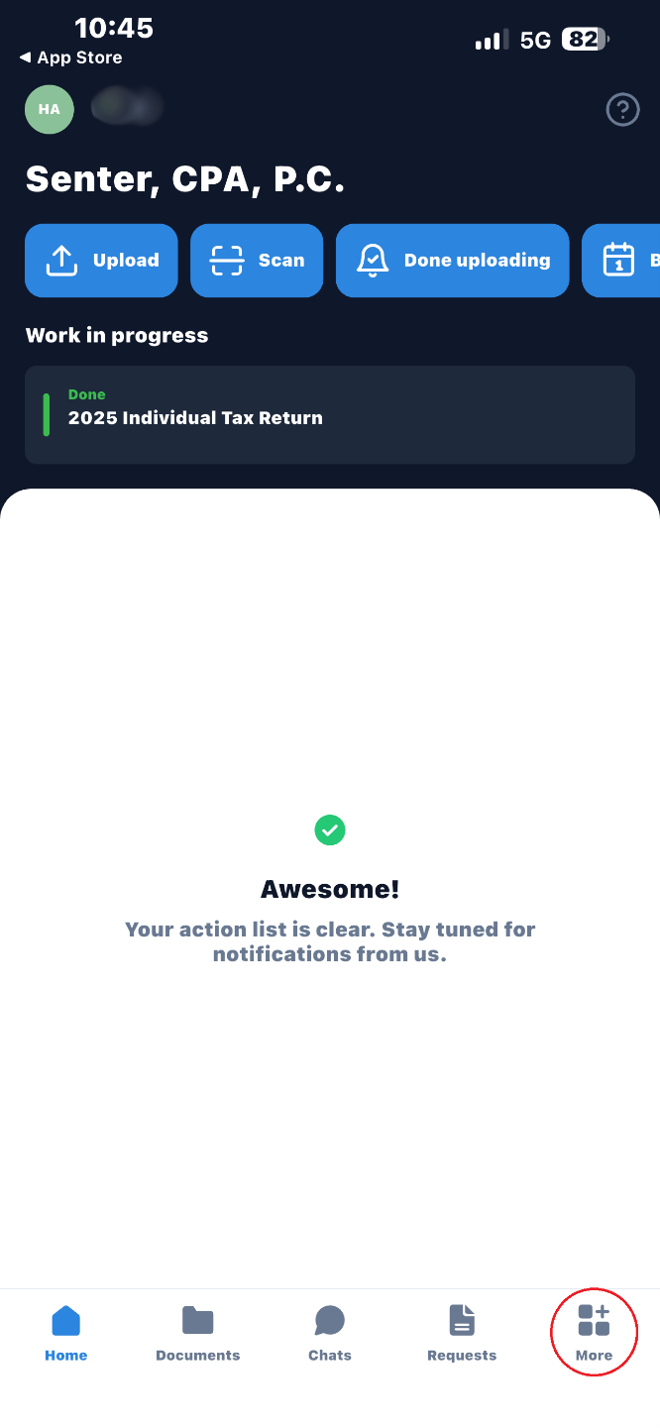
To see these reminders, click “More” at the bottom of your screen.
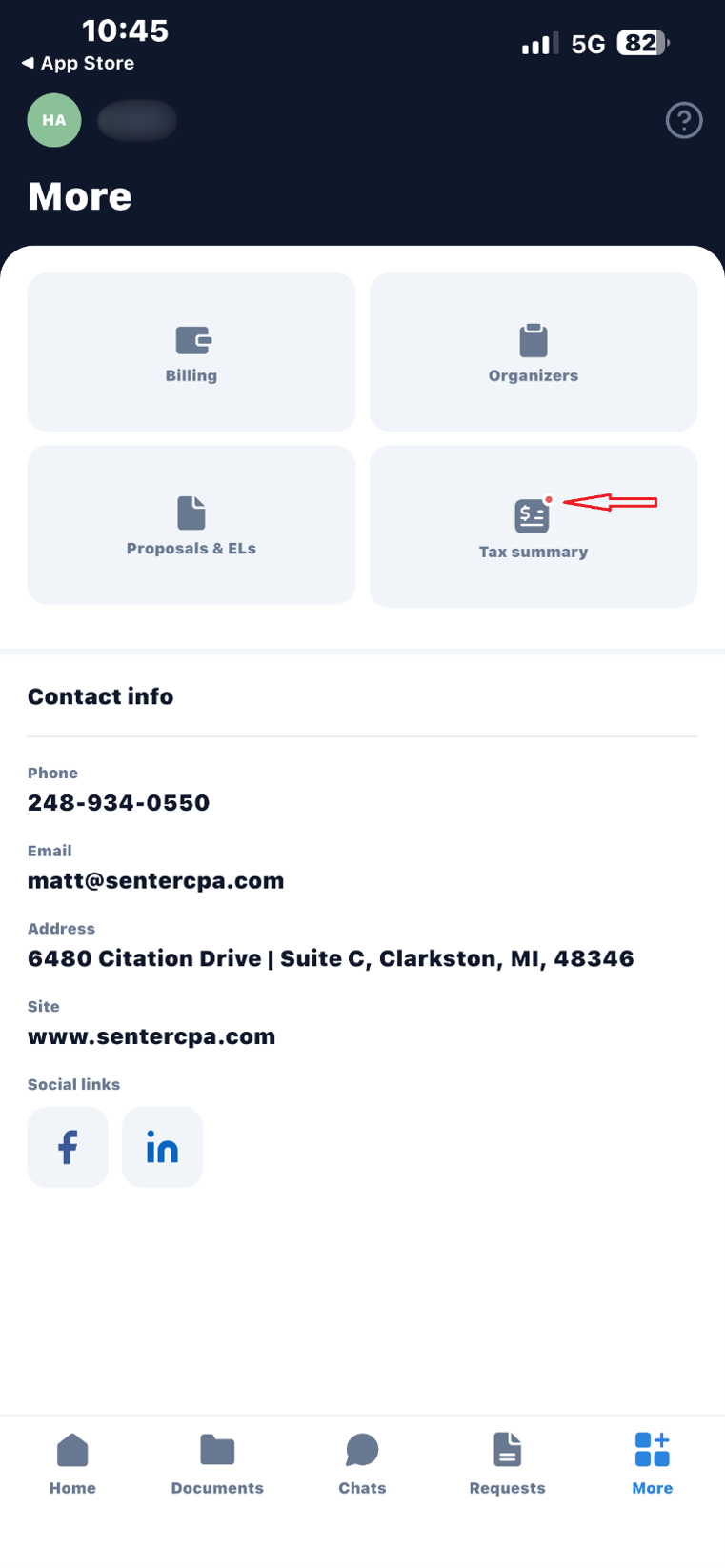
I know it is small, but that tiny red dot indicates there is something new you should pay attention to. (Don’t get made at the messenger, we didn’t develop the app!) Click on “Tax summary”.
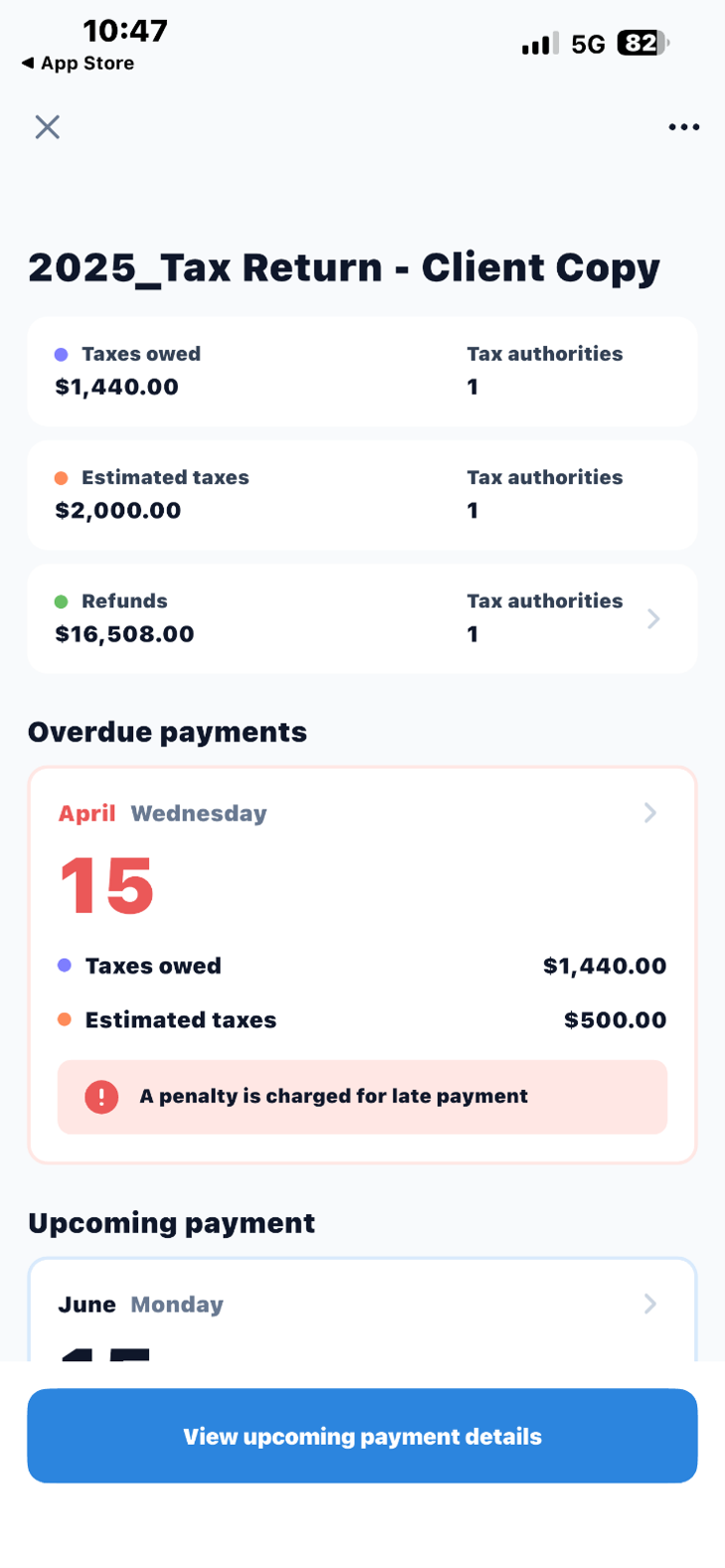
Anything in RED is OVERDUE, but if you scroll down the screen, you will see each quarterly estimated tax payment amount and due date.
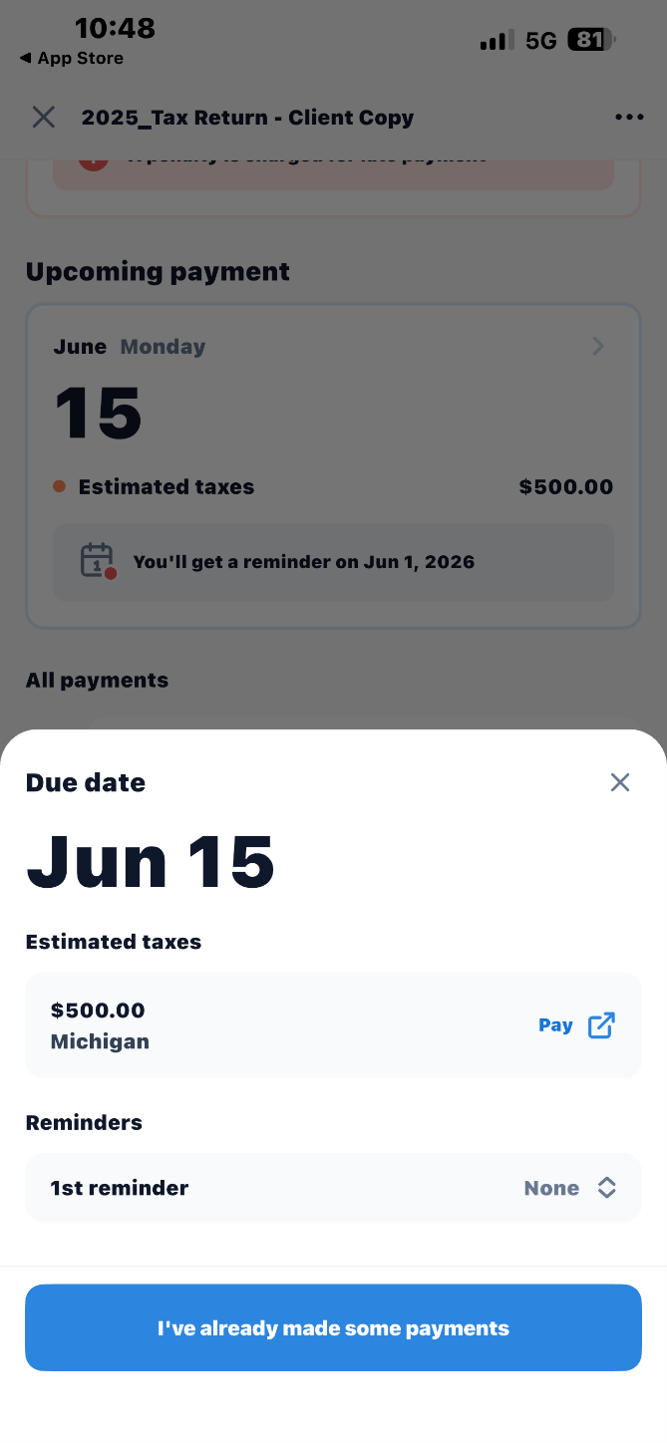
If you have made payments, you can notify us directly through the app.
As always, if you have any questions regarding TaxDome, please give our office a call at (248) 934-0550 and we will be happy to assist.